An agency CRM must represent both the agency’s own sales pipeline and the relationships involved in client delivery. Compare Attio, HubSpot, Pipedrive, folk, Close and Zoho around the account model, collaboration and communication workflow.
Your shortlist
Editorial selectionThese products cover different parts of this job. Use the fit and buying model to decide which belong in your evaluation; display order is not a performance ranking.

Teams that want to model their revenue process around their own records, relationships and workflows.
Read profile →Teams evaluating sales alongside marketing and service in one customer platform.
Read profile →Sales teams prioritizing deal stages, activities and pipeline management.
Read profile →folk combines relationship management with prospecting, outreach and sales collaboration. Its current product site describes finding customers, engaging across channels, recording phone conversations and keeping track of each relationship. It is relevant when the sales process is organized around people and shared context.
Read profile →Sales teams evaluating a CRM with built-in calling and outreach.
Read profile →Zoho CRM is a sales-management platform with agentic features under the Zia name. Its current site combines ordinary CRM operations with AI assistance. Evaluate the record model, automation and collaboration needs of the team before selecting an edition or assuming every AI feature is included.
Read profile →Buying notes
- ### Separate accounts from projects
- Include users, required objects, automation, communications and the systems used for delivery. A broader suite can reduce some connections while adding modules or onboarding. An agency that needs to share data with clients should confirm both permissions and export rights.
- Import a client with several stakeholders and two engagements. Run a new-business opportunity into delivery, reassign the owner and restrict one teammate’s access. Export the records and inspect the result. Test the integration that creates a task or updates a delivery system before committing to a rollout.
- Choose the smallest product configuration that can run the complete workflow, with an owner able to inspect and recover it.
Start with the operating decision
An agency CRM must represent both the agency’s own sales pipeline and the relationships involved in client delivery. Compare Attio, HubSpot, Pipedrive, folk, Close and Zoho around the account model, collaboration and communication workflow. Decide first whether you are managing client work or selling the agency’s services; those can require different permission and data structures.
Shortlist by product shape
| Tool | What to evaluate | Pricing coverage |
|---|---|---|
| Attio | Configurable CRM | Dated plan record |
| HubSpot CRM | Customer platform | Official pricing |
| Pipedrive | Sales pipeline CRM | Official pricing |
| Folk | crm startup | Official pricing |
| Close | Sales CRM and communications | Official pricing |
| Zoho CRM | crm startup | Official pricing |
The features that change the decision
Separate accounts from projects
A client organization, its contacts, an opportunity and a delivery engagement are related but distinct records. Establish the working model before importing data. A pipeline stage is not necessarily the right place to represent every delivery task.
Inspect shared relationships
A contact can be relevant to several clients or engagements. Decide how notes and communication are shared, and which users should be able to export them. Avoid a setup where changing one relationship overwrites context needed by another team.
Follow the sales-to-delivery handoff
The delivery owner needs the scope, promises, stakeholders and next action. Test the handoff with a real-style record and inspect whether the original sales context remains available without granting unnecessary access.
Keep reporting actionable
Separate new-business pipeline, renewals and expansion when the agency manages them differently. Define how owner changes and reopened opportunities affect the report. A flexible workspace still needs a maintained reporting model.
Attio
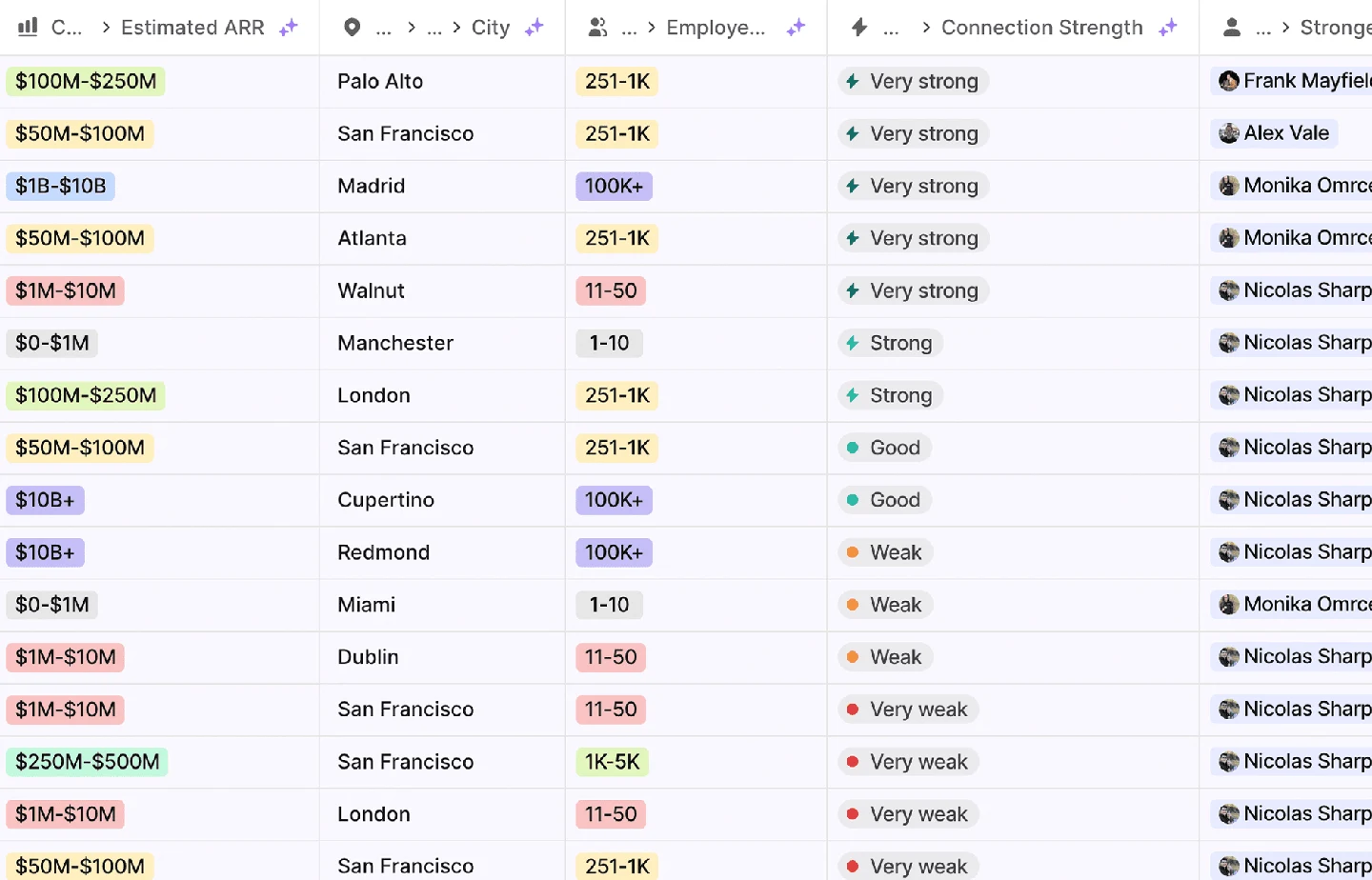
Attio is a configurable CRM and revenue workspace built around records, relationships and workflows. Its current product site includes agents for prospecting, enrichment and routing. The pricing model is particularly important: paid workspace bases and additional users are not interchangeable with a single uniform seat rate.
Capabilities to compare:
- Configurable revenue records
- Relationship and pipeline management
- Enrichment and routing workflows
- Revenue reporting
- Agent-assisted sales work
Tradeoff: A configurable model needs an owner who will maintain object definitions and automations. Confirm object, record, permission and workflow entitlements on the selected plan. Price the workspace base and extra users separately.
In an evaluation: Import one account with several contacts, an opportunity and an external relationship. Build the real views and automation, test a duplicate and an ownership change, then verify that reporting still answers the team’s actual operating questions.
See the plans and billing record.
HubSpot CRM
 HubSpot CRMPublished capabilities
- HubSpot's MCP server couldn't run our CRM queries: `query_crm_data` failed on a missing scope. A private-app token over the REST API worked.
- Searching companies by domain with `EQ` missed `www.` forms and subsidiary domains. Normalise domains before matching.
Which hubs and seat types are in the quote, and what changes at renewal?
Check product scope ↗HubSpot organizes customer records beneath a wider platform covering marketing, sales, service and other functions. A CRM evaluation therefore has two parts: whether the record model and daily workflow fit the team, and which paid hubs or features are required around that foundation.
Capabilities to compare:
- Contact and company records
- Deal pipelines
- Shared customer context
- Connected marketing, sales and service products
- Reporting and workflow options
Tradeoff: The free CRM entry point is not the cost of the complete customer platform. Separate seat types, paid hubs, credits and onboarding. Decide which system owns updates if another database, engagement tool or product system feeds the CRM.
In an evaluation: Import a realistic account with several contacts and an open deal. Check ownership, deduplication, permissions and reporting, then trace one external update to establish which fields can be overwritten and which should be preserved.
Review the official product and pricing sources for the current package.
Pipedrive
 PipedrivePublished capabilities
- Visual sales pipelines
- Deal and contact management
- Sales activity tracking
Are email automation, lead generation and reporting included in the selected tier?
Check product scope ↗Pipedrive centers its CRM around sales pipelines, deal activity and the actions a seller needs to complete. It is relevant when the core requirement is an understandable pipeline rather than a highly customized platform spanning every business function. Compare the working sales process and required extras rather than the lowest advertised seat price.
Capabilities to compare:
- Visual sales pipelines
- Deal and contact management
- Sales activity tracking
- Email-related workflows
- Sales automation and reporting
Tradeoff: The entry edition may not contain every email, reporting or automation feature in a demo. Price the required tier and optional products, including lead-generation tools. Configuration is simpler only if the product’s record model fits your process.
In an evaluation: Import a realistic deal with multiple contacts, schedule activities and test the report used in the weekly sales meeting. Check the integration that creates or updates records and confirm what happens when an owner changes.
Review the official product and pricing sources for the current package.
Folk
 FolkPublished capabilities
- Relationship and contact management
- Prospecting workflows
- Cross-channel engagement
Which features and usage are included in your exact plan?
Check product scope ↗folk combines relationship management with prospecting, outreach and sales collaboration. Its current product site describes finding customers, engaging across channels, recording phone conversations and keeping track of each relationship. It is relevant when the sales process is organized around people and shared context.
Capabilities to compare:
- Relationship and contact management
- Prospecting workflows
- Cross-channel engagement
- Phone-conversation recording
- Team deal collaboration
Tradeoff: Inspect which communications capabilities are included and how records move to other systems. A relationship-first workflow still needs clear opportunity stages and reporting if the team manages a formal sales pipeline.
In an evaluation: Import a live-style account with several contacts and a conversation history. Check duplicate handling, access between teammates and how an opportunity advances. Verify whether the reporting and integrations support the next stage of the sales process.
Review the official product and pricing sources for the current package.
Close
 ClosePublished capabilities
- Sales pipeline and contact records
- Calling
- Sales communications
Which phone, SMS and usage charges sit outside the subscription?
Check product scope ↗Close combines a sales CRM with communications and an AI teammate named Chloe. Its current product description includes calling leads, qualification, booking meetings and keeping CRM records current. It belongs on a shortlist for teams that want calling and follow-up close to the system of record.
Capabilities to compare:
- Sales pipeline and contact records
- Calling
- Sales communications
- AI-assisted qualification and booking
- Automated CRM updates
Tradeoff: Subscription seats are only one part of a communications budget. Confirm phone numbers, calling regions, SMS and usage charges separately. Decide which automated actions need approval and how a person reviews the resulting record.
In an evaluation: Run a lead from import through a call, follow-up and opportunity handoff. Inspect the activity history and usage charges, then test a wrong phone number or ambiguous reply and confirm how a rep corrects the record.
Review the official product and pricing sources for the current package.
Zoho CRM
 Zoho CRMPublished capabilities
- Sales record management
- Pipeline operations
- Team collaboration
Which features and usage are included in your exact plan?
Check product scope ↗Zoho CRM is a sales-management platform with agentic features under the Zia name. Its current site combines ordinary CRM operations with AI assistance. Evaluate the record model, automation and collaboration needs of the team before selecting an edition or assuming every AI feature is included.
Capabilities to compare:
- Sales record management
- Pipeline operations
- Team collaboration
- Zia agent features
- Sales automation and reporting
Tradeoff: Configuration flexibility creates a maintenance responsibility. Confirm the modules, permissions, integrations and AI entitlements required for the working process. A broader product ecosystem can involve additional purchases.
In an evaluation: Import a representative account and opportunity, create the report the team uses and configure one real automation. Test duplicate handling and a permission change, then inspect any proposed AI-generated record update before enabling it.
Review the official product and pricing sources for the current package.
Compare the complete cost
Include users, required objects, automation, communications and the systems used for delivery. A broader suite can reduce some connections while adding modules or onboarding. An agency that needs to share data with clients should confirm both permissions and export rights.
Use a representative team size and calculate the actual billing model. For a workspace-based product, account for included users before adding seats. For a communications CRM, add relevant calling or messaging usage.
Run an evaluation your team can use
Import a client with several stakeholders and two engagements. Run a new-business opportunity into delivery, reassign the owner and restrict one teammate’s access. Export the records and inspect the result. Test the integration that creates a task or updates a delivery system before committing to a rollout.
How this shortlist was assembled
The products cover different operating models within this category. We compared their documented scope, commercial model and implementation responsibilities. The recommendations are editorial judgments about fit. No performance benchmark or independent accuracy ranking is claimed. Official sources are linked beside product facts and collected below.
Questions buyers ask
Should a CRM also manage delivery?
Only if its record and permission model supports that work. A separate project system can remain useful; test the handoff.
How do we model repeat engagements?
Keep the client organization distinct from individual opportunities or engagements so history is preserved.
What permissions matter?
Check notes, messages, exports, integrations and client-facing access. Sharing a pipeline is not the same as sharing every relationship.
Which CRM is best for an agency?
Choose by the workflow: configurable records, pipeline operations, relationship work, communications or a wider platform. Pilot the specific package.
How should we price it?
Include users, required modules, communications, implementation and the systems that remain outside the CRM.
What should migration preserve?
Stable account and contact identities, relationship history, active opportunities, owners, promises and the source of important fields.